Digital Trail Maps on Mobile Devices
Get the Latest Digital Trail Maps on Your Phone or other Mobile Device!
Getting Started | FAQs | Digital Trail Map Combos at Avenza | Individual Maps at Avenza
MAP ALERT, JUNE 2026:
Recent changes at Avenza Maps will affect trail users across the region, including those who navigate with the Trail Conference’s digital maps.
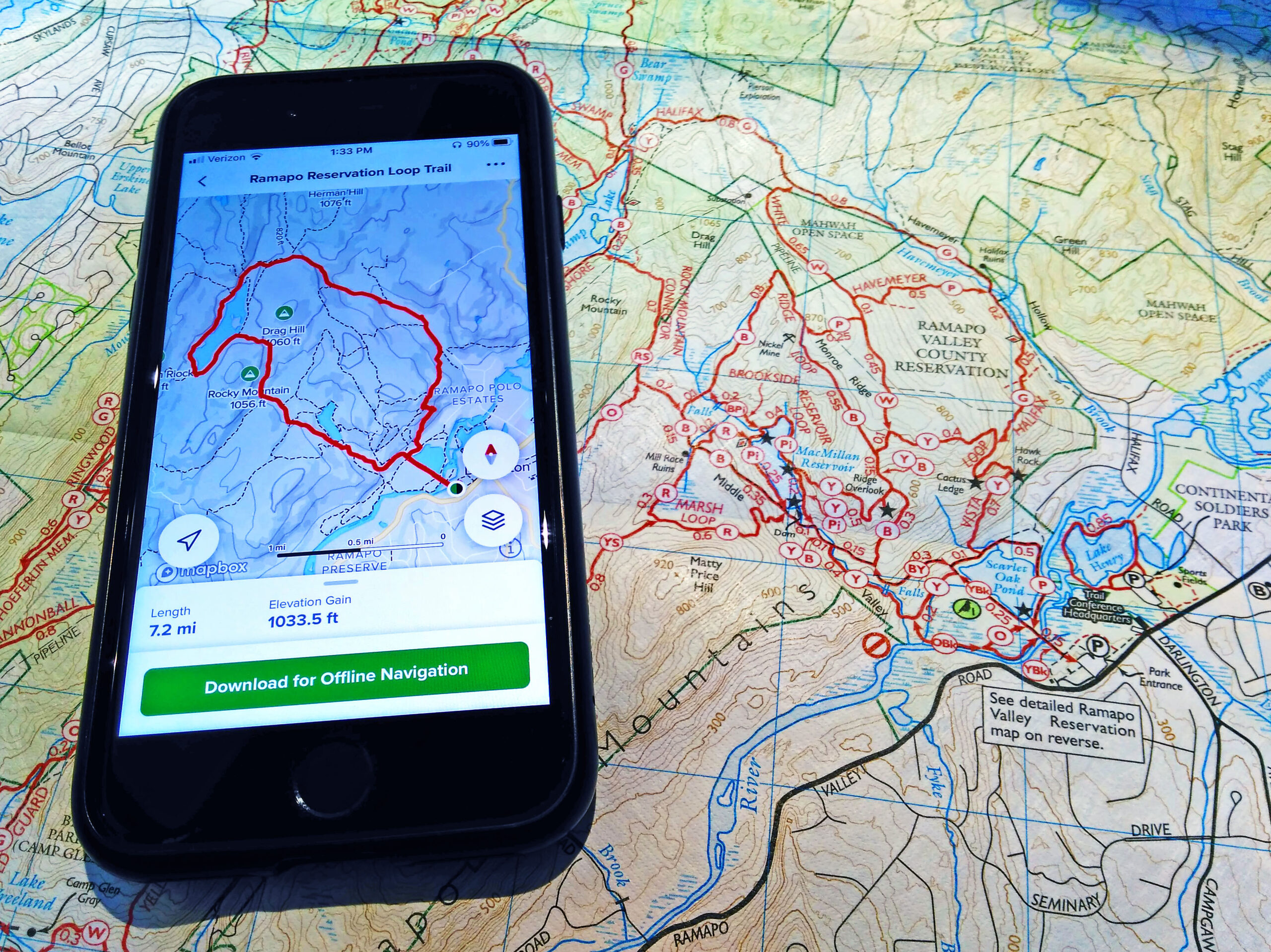
Be prepared with digital trail maps from the New York-New Jersey Trail Conference. Our popular trail maps are available on Apple iOS and Android devices using the Avenza Maps app. More than 300,000 of our digital trail maps have been downloaded by trail users.

Get started in a few easy steps:
Your map is stored on your device within the app’s Map Library, and you’re ready for exploring!
- Download the free Avenza Maps app from Apple’s App Store or from Android’s Google Play.
- Open the app, go to the Map Store, and search by location or keyword (like “Harriman State Park”), or use the map to find Trail Conference maps near you.
- You can also click any map link below on this page, or visit the Trail Conference page at AvenzaMaps.com to view all our maps!
- Tap on a map to preview it and read a description.
- Tap to either install a free map or purchase a map.
Frequently Asked Questions
Is the Avenza Maps app free?
Yes. Within the free app, there are both free and for-sale digital trail maps available for download.
Do I need an internet connection to use this app?
Initially, you will need an internet connection (WiFi or cellular service) to download the app and download digital trail maps. Once a map is downloaded, it is stored on the device and is viewable and functions with most tools without an internet connection.
Does this digital app map replace the need for a printed map?
No. These digital app maps are not a replacement for printed maps that every trail user should have on hand. Batteries can die, software can have issues, and weather can become problematic, so we certainly suggest you carry printed maps just in case.
Are member discounts available, or are discounts for purchasing both print and digital maps available?
No. Discounts are currently not available on digital app maps.
Can I view the digital app map on my computer like I might view a PDF file?
No, each digital app map is only viewable within the app.
Can I print out a copy of this digital app map?
No, the app does not support printing.
Should I be worried about my device’s battery life?
Battery life depends on many factors, but short trips should minimally affect your device’s battery. For longer trips, you should monitor your battery life more closely. To improve battery life, try adjusting brightness, closing other background apps, and turning off extraneous things like Wi-Fi, Bluetooth, notifications and e-mail syncing.
Who should I contact if I have issues with the App?
Visit the Avenza Support Center to learn more about the app, troubleshoot, or ask questions about issues.
Digital trail map Combos are available in the Avenza Maps app
- Catskill Combined Map – 2023 | Maps: 140, 141, 142, 143, 144 & 147 combined on one map, plus expanded area for general reference and trail descriptions!
- Delaware Water Gap & Kittatinny Combined Map – 2021 | Maps: 120, 121, 122 & 123 combined on one map!
- East Hudson Combined Map – 2023 | Maps: 101, 102 & 103 combined on one map!
- Harriman-Bear Mountain Combined Map – 2023 | Maps: 118 & 119 combined on one map!
- Hudson Palisades 5-Map Bundle – 2018 | Maps: 108, 109, 110, 111 & 112
- Morris County Highlands 4-Map Bundle – 2023 | Maps: 125, 126, 127 & 128
- Northern New Jersey Highlands Combined Map – 2021 | Maps: 150, 151, 152 & 153 combined on one map! (formerly titled North Jersey)
- Shawangunk 4-Map Bundle – 2019 | Maps: 105, 106A & 106B
- West Hudson 2-Map Bundle – 2019 | Maps: 113 & 114
- Westchester 4-Map Bundle – 2020 | Maps: 130, 131, 132 & 133
Individual Maps For Sale at Avenza
| Map Title | Map # | Parks |
|---|---|---|
| Sterling Forest – 2020 | 100 | Sterling Forest State Park, Appalachian Trail, Tranquility Ridge County Park, Highlands Trail |
| East Hudson (South) – 2023 | 101 | Hudson Highlands State Park Preserve, Hudson Highlands Gateway Park, Manitoga, Manitou Point Preserve, Appalachian Trail |
| East Hudson (North) – 2023 | 102 | Hudson Highlands State Park Preserve, Fishkill Ridge Conservation Area, Mount Beacon Park |
| East Hudson (Fahnestock) – 2023 | 103 | Fahnestock State Park, Appalachian Trail |
| Shawangunk (South) – 2019 | 104 | Minnewaska State Park Preserve, Sam’s Point Preserve, Long Path |
| Shawangunk (North) – 2019 | 105 | Mohonk Preserve, Mohonk Mountain House, Minnewaska State Park Preserve |
| Shawangunk (Mohonk Mountain House) – 2019 | 106A | Mohonk Mountain House, Mohonk Preserve |
| Shawangunk (Shawangunk Ridge Wurtsboro) – 2019 | 106B | Shawangunk Ridge State Forest, Roosa Gap State Forest, Wurtsboro Ridge State Forest |
| South Taconic – 2015 | 107 | Taconic State Park, Mount Washington State Forest (Mass.), 34 Miles of the Appalachian Trail in Conn. & Mass. |
| Hudson Palisades (#1) – 2018 | 108 | Palisades Interstate Park, Flat Rock Brook Nature Center, Tenafly Nature Center, Lost Brook Preserve, Long Path |
| Hudson Palisades (#2) – 2018 | 109 | Palisades Interstate Park, Tallman Mountain State Park, Blauvelt State Park, Clausland Mountain County Park, Buttermilk Falls County Park, Rockleigh Woods Sanctuary, Lamont Reserve, Long Path |
| Hudson Palisades (#3) – 2018 | 110 | Hook Mountain State Park, Nyack Beach State Park, Long Path |
| Hudson Palisades (#4) – 2018 | 111 | Rockland Lake State Park, Hook Mountain State Park, Haverstraw Beach State Park, Long Path |
| Hudson Palisades (#5) – 2018 | 112 | High Tor State Park, South Mountain County Park, Gurnee County Park, Long Path |
| West Hudson (East) – 2019 | 113 | Storm King State Park, Black Rock Forest, Highlands Trail |
| West Hudson (West) – 2019 | 114 | Schunemunk State Park, Long Path, Highlands Trail |
| North Jersey (see new “Northern New Jersey Highlands” maps 150-154) | 115, 116 | |
| Harriman-Bear Mountain (South) – 2023 | 118 | Southern Harriman State Park, Long Path |
| Harriman-Bear Mountain (North) – 2023 | 119 | Northern Harriman State Park, Bear Mountain State Park, Appalachian Trail, Long Path |
| Delaware Water Gap & Kittatinny (South 1) – 2021 | 120 | Southern Delaware Water Gap National Recreation Area, Worthington State Forest, Appalachian Trail |
| Delaware Water Gap & Kittatinny (South 2) – 2021 | 121 | Southern Delaware Water Gap National Recreation Area, Appalachian Trail |
| Delaware Water Gap & Kittatinny (North 1) – 2021 | 122 | Northern Delaware Water Gap National Recreation Area, Stokes State Forest, Appalachian Trail |
| Delaware Water Gap & Kittatinny (North 2) – 2021 | 123 | Northern Delaware Water Gap National Recreation Area, High Point State Park, Huckleberry Ridge State Forest, Port Jervis Watershed Park, Appalachian Trail |
| Morris County Highlands (East) – 2023 | 125 | Pyramid Mountain, Farny State Park, Wildcat Ridge Wildlife Management Area, Pequannock Watershed, Highlands Trail |
| Morris County Highlands (West) – 2023 | 126 | Mahlon Dickerson Reservation, Mount Hope Historical Park, Rockaway River Wildlife Management Area, Highlands Trail |
| Morris County Highlands (Allamuchy/Stephens) – 2023 | 127 | Allamuchy Mountain State Park, Stephens State Park, Highlands Trail, Morris Canal Greenway |
| Morris County Highlands (High Mountain) – 2023 | 128 | High Mountain Park Preserve |
| Westchester (Rockefeller) – 2020 | 130 | Rockefeller State Park Preserve, Rockwood Hall Area, Peabody Preserve, Pocantico Park, Tarrytown Lakes Park, Westchester RiverWalk, Old Croton Aqueduct, North County Trail |
| Westchester (Ward Pound Ridge) – 2020 | 131 | Ward Pound Ridge Reservation, Armstrong Preserve, Lewisboro Town Park, Old Field Preserve, Richards Preserve |
| Westchester (Teatown) – 2020 | 132 | Teatown |
| Westchester (Greater Teatown) – 2020 | 133 | Teatown, Teatown-Kitchawan Trail, Briarcliff-Peekskill Trail, Croton Gorge Park, Old Croton Aqueduct, North County Trail |
| Catskill (North Lake) – 2023 | 140 | North/South Lake Campground, Escarpment Trail, Kaaterskill Falls, Long Path, North Mountain |
| Catskill (Northeastern) – 2023 | 141 | Blackhead Range, Hunter Mountain, Devil’s Path, Escarpment Trail, Tremper Mountain, Overlook Mountain, Kaaterskill Falls, North/South Lake Area, Long Path |
| Catskill (Central) – 2023 | 142 | Panther Mountain, Balsam Mountain, Belleayre Mountain, Dry Brook Ridge, Balsam Lake Mountain, Halcott Mountain, Bearpen Mountain, Long Path |
| Catskill (Southern) – 2023 | 143 | Slide Mountain, Burroughs Range, Peekamoose Mountain, Beaver Kill Range, Vernooy Falls, Long Path, Finger Lakes Trail |
| Catskill (Western) – 2023 | 144 | Delaware Wild Forest, Trout Pond, Little Pond, Mongaup Pond, Frick Pond, Finger Lakes Trail |
| Catskill (Long Path North) – 2023 | 147 | Huntersfield Mountain, Ashland Pinnacle, Richmond Mountain, Mount Pisgah, Mount Hayden, Long Path |
| Catskill Hikes – Kaaterskill Falls & North/South Lake, NY | — | North/South Lake Campground, Kaaterskill Falls, Kaaterskill Rail Trail |
| Northern New Jersey Highlands (Ramapos) – 2021 | 150 | Campgaw Mountain County Reservation, Ramapo Mountain State Forest, Ramapo Valley County Reservation, Ringwood State Park |
| Northern New Jersey Highlands (Wyanokies) – 2021 | 151 | Long Pond Ironworks State Park, Norvin Green State Forest, Ringwood State Park, Tranquility Ridge County Park, Highlands Trail |
| Northern New Jersey Highlands (Wawayanda & Bearfort Ridge) – 2021 | 152 | Abram S. Hewitt State Forest, Appalachian Trail Corridor, Pequannock Watershed, Wawayanda State Park |
| Northern New Jersey Highlands (Pequannock Watershed) – 2021 | 153 | Pequannock Watershed north of Route 23, portion of Wawayanda State Park, Highlands Trail |
| Northern New Jersey Highlands (A.T. Corridor) – 2021 | 154 | Appalachian National Scenic Trail, Wallkill River National Wildlife Refuge, Wawayanda State Park |
| Lenape Trail Detailed Map – 2019 | The Lenape Trail through Essex County, NJ |
Join

Become a member and protect wild places
Shop

Maps, gear & books, all proceeds support trails
Volunteer

Give back by helping maintain the trails
Donate

Keep trails open and safe with a one-time gift